Watch it in action.
InkForge is a native macOS drawing app - not a web app wrapped in a frame. Below is a screen recording of the real application: layered bitmap painting, AI-powered inpainting, the neumorphic toolbar and vertical sliders, and QuickShape snapping in use.
The app at rest.
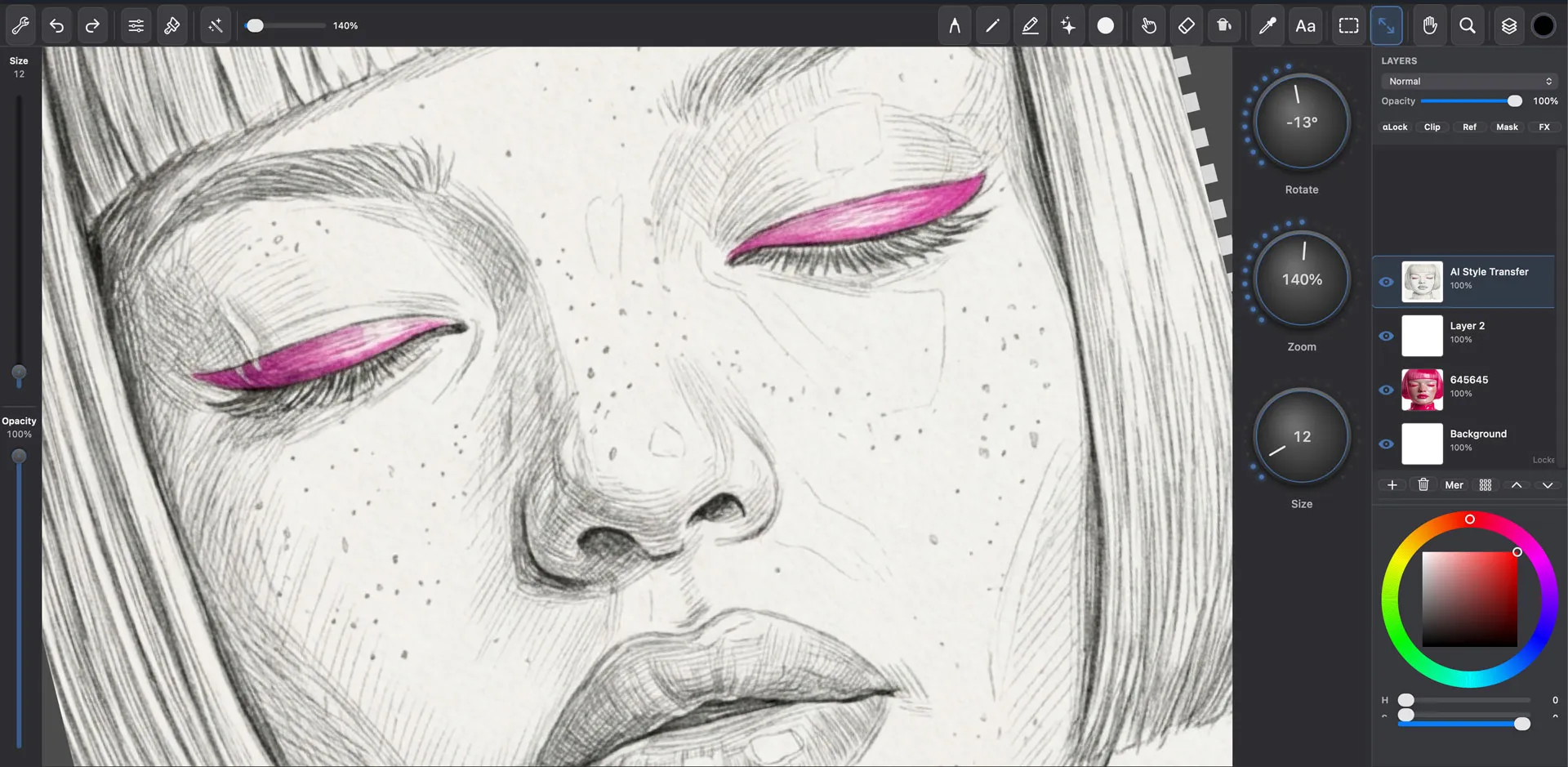
01
The full workspace: compact 44px toolbar at the top, neumorphic brush-size and opacity sliders on the left, layer panel with color picker on the right. The canvas fills everything in between. Nothing competes with the artwork.
6 procedural brush tips
Round, Dry Brush, Ink, Charcoal, Stipple, and Noise - generated at runtime from BrushTipGenerator. No PNG assets, full pressure support on Wacom tablets.
AI inpainting via Gemini + Replicate
Select a region with any selection tool, hit Cmd+Shift+A, describe what to fill. The result lands as a new layer - non-destructive, blendable, and undoable.
QuickShape detection
Hold the pen still at the end of a stroke for 300ms and ShapeDetector.swift snaps it to a clean line, ellipse, or rectangle. No shape tool, no mode switch.